PIC Number EU Kronis

Blog

Getting Your PIC Number: A Stress-Free Guide for EU Funding

Picture of Admin Kronis
Admin Kronis


SEP 16, 2025


5 MIN


GUIDE

A PIC (Participant Identification Code) is a unique 9-digit number the European Commission assigns to every organisation taking part in EU funding programmes. You get it by registering your organisation in the Participant Register of the EU Funding & Tenders Portal; a provisional PIC is issued instantly and becomes permanent after validation.

Key takeaways

  • You need a PIC to submit Horizon Europe proposals, join cascade funding calls and sign Grant Agreements.
  • Create an EU Login first, then use the Organisation Search to avoid creating a duplicate PIC.
  • Prepare the legal name, country, VAT and registration numbers, address and legal status before you start.
  • Appoint a LEAR (Legal Entity Appointed Representative) who manages the organisation's data and access rights.
  • The Commission may request statutes or VAT certificates before the PIC is fully validated.

Table of Content

Stepping into the world of European funding for the first time? The Participant Identification Code (PIC) is your golden ticket. Here’s how to get it, what to expect, and how Kronis keeps your journey simple once you’ve got it.

PIC Number EU Kronis

Introduction: Start Your EU Funding Journey With Confidence

Planning to join a Horizon Europe project or apply for cascade funding? The very first step is to get your PIC number — the European Commission’s way of identifying organisations in all EU funding programmes. 

At Kronis, we know this first step can feel intimidating. That’s why we’ve created this guide to get the PIC Number: to make it human, simple, and stress-free, so you can focus on innovation and impact rather than red tape. 

What Is a PIC Number and Why It Matters?

A PIC number is a unique 9-digit code given by the European Commission to identify every organisation involved in EU funding programmes. You need it for: 

  • Submitting proposals in Horizon Europe and other EU programmes. 
  • Joining cascade funding or national initiatives. 
  • Signing EU grant agreements and managing EU-funded projects. 

No PIC, no project. With it, you join the European innovation community and avoid having to re-enter your details for each call. 

Who Needs a PIC Number?

  • Startups and SMEs entering EU funding for the first time. 
  • Universities and research centres coordinating or joining EU consortia. 
  • Clusters, NGOs and associations involved in EU-funded initiatives.

In short: if you want EU money for your project, you need a PIC number. 

Step-by-Step: How to Get Your PIC Number in 2025

You create your PIC directly in the EU Funding & Tenders Portal. Follow these four simple steps: 

Step 1. Go to the EU Funding & Tenders Portal

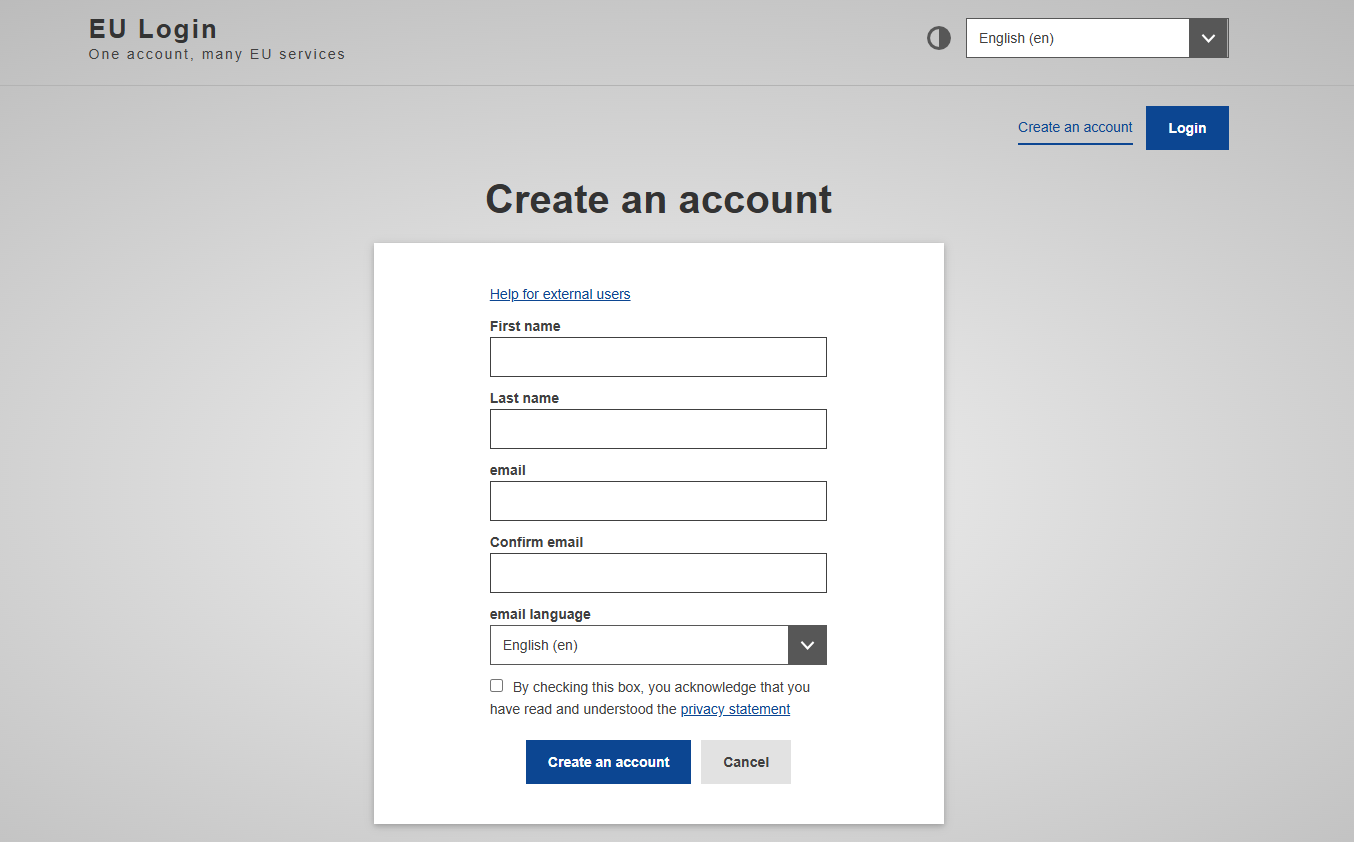
Create your EU Login 

  • Click Register and create your EU Login account using a professional email address. 
  • Verify your email, set your password, and log in. 

Why this matters: Without an EU Login, you cannot access the Participant Register or any EU funding service. 

Check for existing PIC numbers 

  • Use the Organisation Search tool in the portal. 
  • If your organisation already has a PIC, contact the existing LEAR (Legal Entity Appointed Representative) for access rather than creating a duplicate. 
  • If no PIC exists, continue to the next step to start the registration process. 

Tip: Duplicates can slow down validation and complicate future grant agreements, so always check first. 

Step 2: Prepare your information and register your organisation

Before opening the registration form, gather all the required details to avoid interruptions: 

  • Legal name (exactly as in official documents) 
  • Country of establishment 
  • VAT number (if applicable) 
  • Business registration number (if applicable) 
  • Official address and website 
  • Legal status: public/private, for-profit/non-profit 
  • Contact details for your organisation 

If your organisation does not have legal personality, you must provide proof that authorised representatives can undertake legal obligations on its behalf. 

Once ready: 

  • Go to Participant Register in the Portal. 
  • Enter your organisation’s name and country. 
  • If no matches are found, click Continue Registration. 
  • Complete the form carefully—accuracy avoids validation delays. 


Step 3: Manage access rights and appoint a LEAR

When you create the organisation’s record, you automatically become the first Authorised User. 

  • You can add another authorised user if needed; both can update data and upload documents at this stage. 
  • Keep all organisation data in the Portal accurate and up to date. 
  • Handle official communications with the European Commission. 
  • Upload required legal and financial documents when requested. 
  • Manage user access rights for the organisation’s profile. 

The EU provides specific templates for the LEAR appointment process—follow them carefully when the time comes. 

Check out the Rules for Legal Entity Validation, LEAR Appointment and Financial Capacity Asessment

Step 4: Submit your registration and get your PIC number

  • Once the form is complete, review all details carefully before submitting. 
  • Submit the registration to obtain your provisional PIC number instantly. 
  • The European Commission may request supporting documents—e.g., statutes, VAT certificates, or registration acts—for full validation. 
  • After validation, your PIC becomes permanent and can be used for: 
    • Submitting proposals under Horizon Europe and other programmes. 
    • Signing Grant Agreements electronically. 
    • Managing all EU-funded projects linked to your organisation. 

What Happens After You Get Your PIC

Getting your PIC number is just the beginning. Once you have it, you’ll use it for: 

  • Submitting proposals under Horizon Europe, cascade funding, or other EU programmes. 
  • Signing Grant Agreements electronically through the Funding & Tenders Portal. 
  • Managing your entire EU project lifecycle: budgets, reporting, audits, document retention. 

But with this come obligations: 

  • Articles 20–25 of the Grant Agreement require accurate financial reporting, document retention for audits, and strict compliance with EU rules. 
  • Missing deadlines or keeping incomplete records can delay payments or even trigger penalties. 

This is where digital tools like Kronis become invaluable. 

How Kronis Simplifies EU Projects for you

Startups want to innovate, not drown in EU admin work. Kronis doesn’t create your PIC number — the Portal does — but from the moment you have it, Kronis takes over to: 

  • Automate deadlines: No more missed reporting dates or audit submissions. 
  • Centralise documents: Every financial record, timesheet, and report in one secure, searchable place. 
  • Ensure compliance: Built-in checks aligned with  the European Comission to keep you audit-ready at all times. 
  • Provide real-time visibility: Dashboards and alerts give you full control over your project finances. 

With Kronis, EU funding becomes manageable, predictable, and stress-free. 

Free PIC Registration Checklist and FAQ (PDF)

Still have questions? 
Want the full list of FAQs, common mistakes, and a detailed step-by-step guide to registering your PIC number? 

Get our FREE PIC Registration Checklist & FAQ (PDF) — everything you need to register smoothly, avoid common pitfalls, and stay compliant from day one. 

Your Solution For Navigating Grants

With Kronis Software, we make the process simple.
Sep 16, 2025Updated Oct 27, 20265 minblog
Table Of Contents

Kronis Software

The solution to navigating EU funding complexities
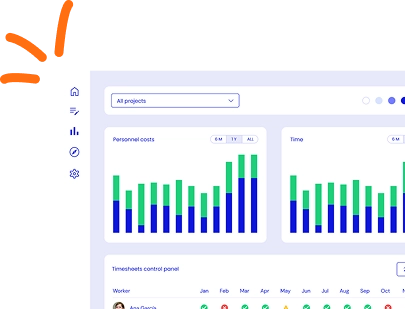
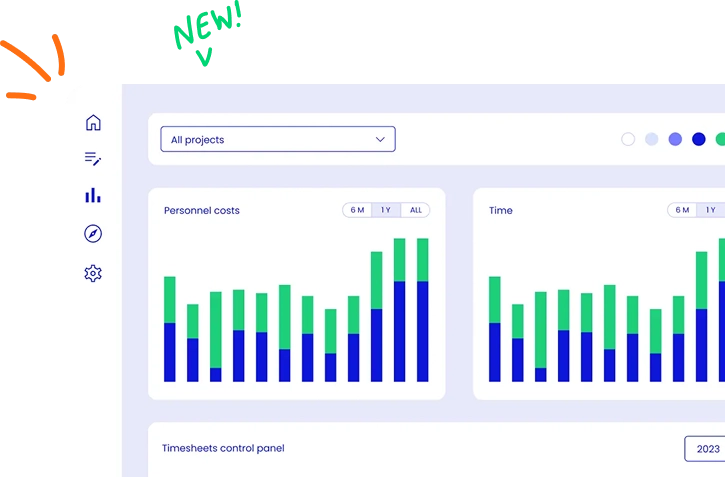
Kronis dashboard with bar charts tracking hours and costs across all EU-funded projects

Blogs

Our latest blog posts

Explore the Kronis ecosystem at Startup Olé Salamanca 2026: Search, Matcher, Apply, PMO and Finance

From grant searching to managing it: see Kronis at Startup Olé 2026

Kronis is heading to Startup OLÉ 2026! Meet us in Salamanca, see Kronis in action and discover how our five tools support different stages of the funding journey.
Road sign with arrows pointing both ways under the title Horizon Europe vs Cascade Funding

Horizon Europe vs cascade funding: which route is right for your organisation?

Horizon Europe and cascade funding both offer EU innovation funding — but they are fundamentally different instruments. This guide maps the key differences and helps you decide which route fits your organisation right now.
Woman reviewing documents at a desk next to the text EU project finances, under control with Kronis Finance

Kronis Finance: financial control for EU-funded projects

EU project financial compliance begins on day one and extends years beyond project closure. Kronis Finance provides the infrastructure to plan, report, and analyse EU project finances — keeping costs traceable, eligible, and audit-ready throughout.

Ready To Close The Loop On Your Grants?

Join hundreds of EU-funded organisations using Kronis to find, qualify, apply, manage and justify their projects.
Kronis dashboard with bar charts of project hours and a new timesheets control panel